To register a free domain in .com.np, you need to follow these steps:
- Check the eligibility criteria: Only Nepali citizens, Nepali organizations, and Nepali residents are eligible for free .com.np domains. You must have a valid Nepali citizenship certificate or other required documents to prove your eligibility.
- Choose a domain name: You can choose a domain name that reflects your business or organization name or your personal identity. The domain name should be unique and not already registered.
- Visit the Mercantile Communications website: The official website for .np domain registration is http://register.com.np/. On the homepage, you will see a section called “Domain Registration.” Click on “Register a New Domain.”
- Enter your desired domain name: In the “Domain Name” field, enter the domain name you want to register. Make sure it is available and meets the .np domain registration policy.
- Fill out the registration form: Provide your personal or organizational details, including your name, address, email, and phone number.
- Upload necessary documents: You will need to upload a scanned copy of your citizenship certificate or other required documents to prove your eligibility for a .com.np domain.
- Submit your application: After filling out the form and uploading the necessary documents, click on the “Submit” button to submit your application.
- Wait for approval: It may take several days for your application to be reviewed and approved. Once approved, you will receive an email with instructions on how to activate your domain.
- Activate your domain: Follow the instructions provided in the email to activate your domain. Once activated, your .com.np domain will be live and accessible to the public.
Note: Free .com.np domains are valid for a period of one year and can be renewed annually.
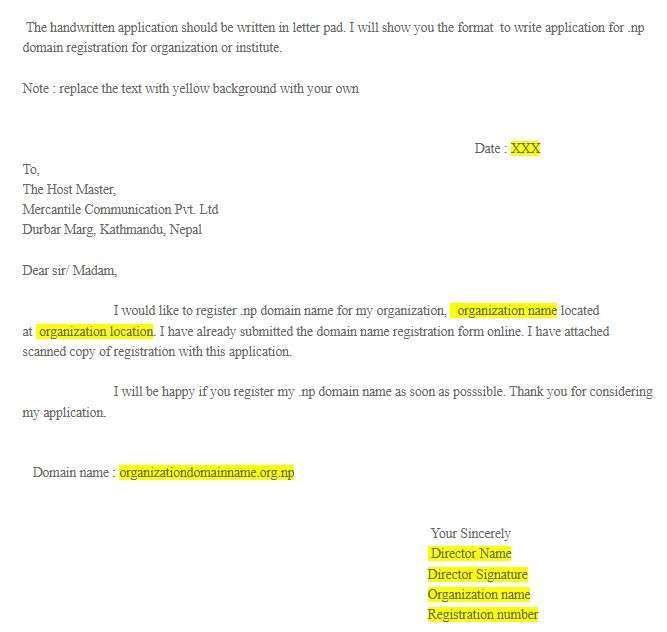
Sample Handwritten Cover Letter to Register .np Domain | .com.np Domain
Here is the sample cover letter to register the .np domain name :
Note: you should replace some of the words with your own. A list of the words you should change on your own is given below :
1. Change the date of the application to the current date.
2. Change the domain name with your domain name.
3. Change the name with your own name.
4. Change the signature with your own signature.
Sample of Handwritten application :
P.S. If you couldn’t copy properly from the handwritten application photo then here is the 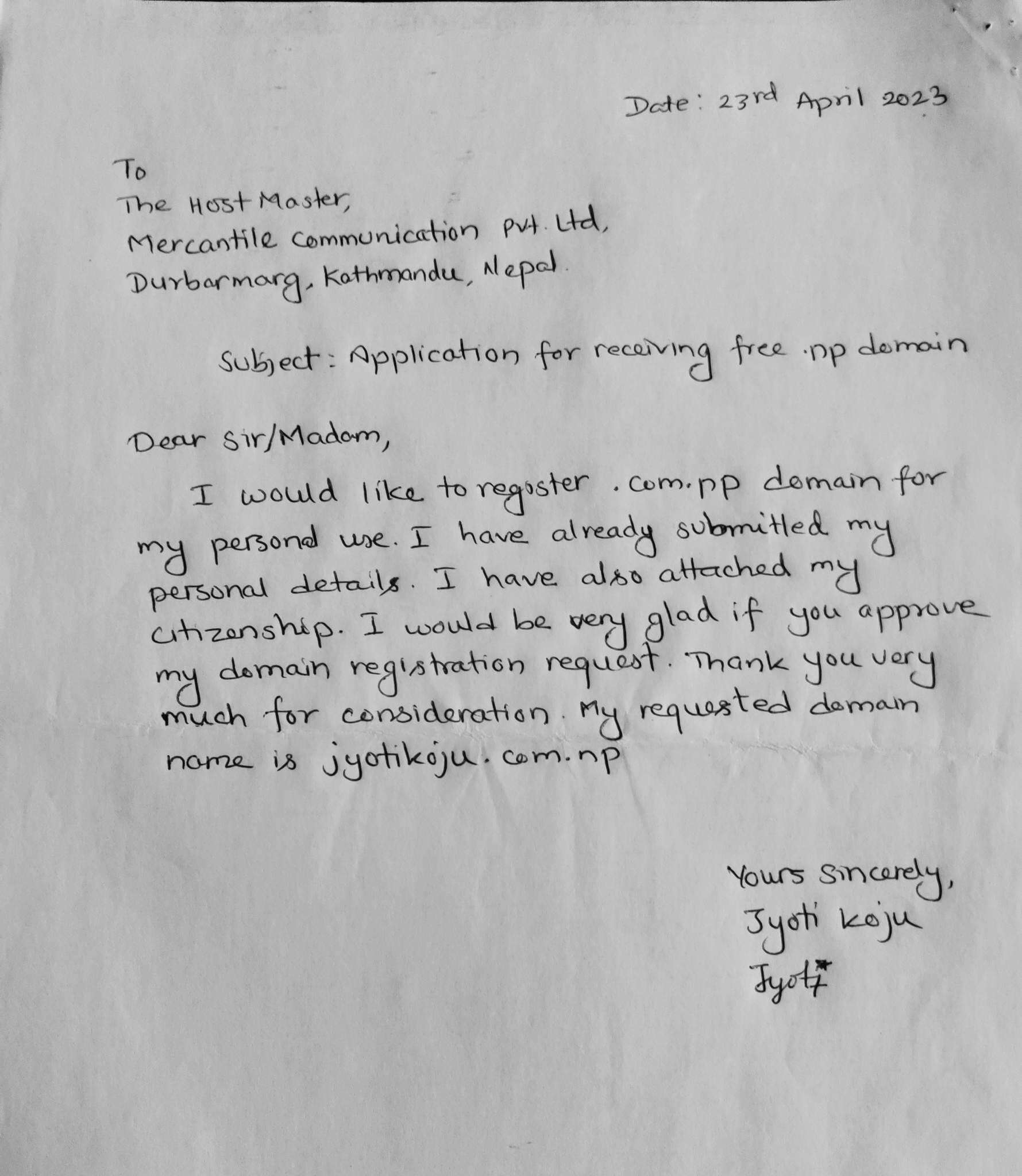 computer-typed application.
Note: replace the text with yellow background with your own
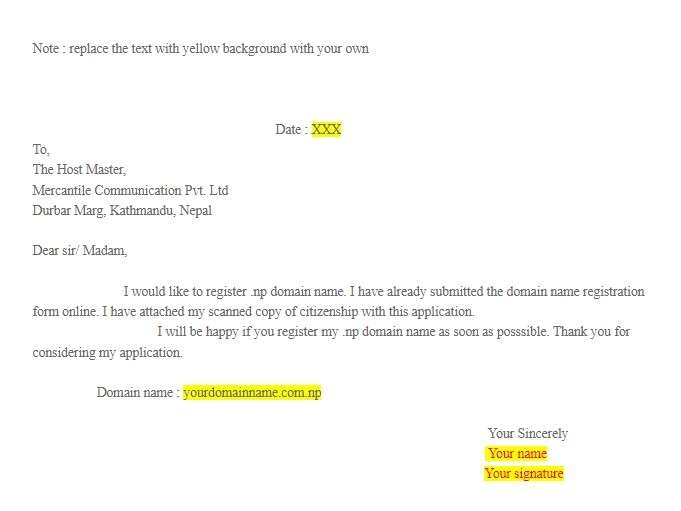
In case of organization or institute :